Tracelink University
## Breadcrumb
1. [Home](/)
2. [Resources](/resources/resource-center)
3. [TraceLink University](/resources/tracelink-university)
# What's new in Extensible TraceLink Transfer, version 2026.2.0
- [Download PDF](/node/631371/pdf)
- [Share](#)
- [ LinkedIn ](https://www.linkedin.com/shareArticle?mini=true&url=https://www.tracelink.com/resources/tracelink-university/whats-new-extensible-tracelink-transfer-version-202620&title=What's new in Extensible TraceLink Transfer, version 2026.2.0&summary=Explore what's new in the Extensible TraceLink Transfer, version 2025.2.0 release. &source=TraceLink "LinkedIn")
- [ Facebook ](https://www.facebook.com/share.php?u=https://www.tracelink.com/resources/tracelink-university/whats-new-extensible-tracelink-transfer-version-202620&t=What's new in Extensible TraceLink Transfer, version 2026.2.0 "Facebook")
- [ Mail ](mailto:?subject=What's new in Extensible TraceLink Transfer, version 2026.2.0+|+TraceLink&body=https://www.tracelink.com/resources/tracelink-university/whats-new-extensible-tracelink-transfer-version-202620 "Mail")
- [ Twitter ](https://twitter.com/intent/tweet?text=What's new in Extensible TraceLink Transfer, version 2026.2.0 https://www.tracelink.com/resources/tracelink-university/whats-new-extensible-tracelink-transfer-version-202620&via=TraceLink "Twitter")
#### Table of contents
Explore what's new in the Extensible TraceLink Transfer, version 2025.2.0 release. .
## Release information
This document describes the TraceLink capabilities included in the Extensible TraceLink Transfer, version 2025.2.0 app release, which is available on Validation and Production on 16 Jul 2026.
The following apps are impacted by this release and will be updated to the version listed:
- Extensible TraceLink Transfer, version 2025.2.0Solutions supported by this app version:
- Extensible TraceLink Transfer, solution version 8.3.0
 These release notes are subject to change based on the deployment of the release. In the event of changes, the release notes and any related documentation will be updated within one week of release deployment. Deployment completion can be confirmed in the TraceLink Release Notice email.
### Patch releases
The following patch is released for this version:
- Extensible TraceLink Transfer, version 2026.2.1 is available on Validation and Production on 06 Aug 2026.
These patches are cumulative, and the most recent patch release includes functionality from all previous versions.
### Revisions
| Date | Revision | Description |
|---|---|---|
| 16 Jul 2026 | 01 | Initial version. - 6 issues are added to Resolved issues. - 0 issues are added to Known issues. |
| 06 Aug 2026 | 02 | The following updates have been made since the previous revision was distributed: - Issue information for the Extensible TraceLink Transfer, version 2026.2.1 patch is added: - 5 issues are added to Resolved issues. - 0 issues are added to Known issues. |
## API features
There is no new or updated API functionality included in this release.
## System features
The following new or updated system functionality is included in this release. These features are changes to the app to support another feature and do not have any impacts on their own.
### Delivery Confirmation for Outbound Messages via Functional Acknowledgments
Extensible TraceLink Transfer (XTT) version 2026.2.0 introduces support for waiting for an inbound Functional Acknowledgment before returning the final status for an outbound B2B message (such as a Purchase Order). Previously, TraceLink confirmed only that an outbound B2B message, such as an invoice or purchase order, was sent. With this feature, TraceLink also confirms that the trading partner successfully received the message before marking it as complete.
When enabled, TraceLink waits for a correlated Functional Acknowledgment before returning a response to the application, e.g. Multienterprise Information Network Tower (MINT). The outbound message remains in the Processing state until a 997 (X12) or CONTRL (EDIFACT) acknowledgment is received or the configured timeout (up to 24 hours) expires. If a valid acknowledgment is received, TraceLink returns a success response. Otherwise, the outbound message is timed out. When disabled, TraceLink returns a response as soon as delivery is confirmed by the connection protocol (e.g. AS2 MDN, SFTP delivery, or SMTP delivery), without waiting for a Functional Acknowledgment.
For more information, see and .
#### Impact analysis
- Interface options:
- Processing
- Business segment impacts:
- All business segments for both Owners and Partners
## Resolved issues
### Extensible TraceLink Transfer, version 2026.2.1
The following issues are resolved in this release. The prefixes are for internal TraceLink tracking purposes and do not mean anything to customers.
| ID | Interface | Issue Description |
|---|---|---|
| **TL-81210: Inbound AS2 Messages Support Incorrect File Names** | Processing | Previously, when an inbound AS2 sender did not provide a filename in the message header, the accompanying files were generated with different names that XTT could not correlate, causing processing failures. Now, XTT uses the AWS JSON message-disposition metadata to identify the associated file and complete inbound processing. This issue is resolved. |
| **TL-106836: Outbound AS2 Transactions Display Accurate Error Messages** | Processing | Previously, when outbound AS2 transactions failed, a secondary validation error could mask the underlying delivery failure. Now, XTT preserves and displays the underlying AS2 failure, providing a more accurate error message. This issue is resolved. |
| **TL-108201: Outbound AS2 Transactions Display Specific Error Messages** | Processing | Previously, when a terminal delivery status was not observed for an outbound AS2 transaction for an outbound AS2 transaction, it displayed a generic timeout message. Now, outbound AS2 transactions display clear, descriptive error messages helping users and the support team diagnose the problem. This issue is resolved. |
| **TL-114101: Outbound SFTP and AS2 Retries Append Unexpected Timestamps to Filenames** | Processing | Previously, during replay of outbound SFTP or AS2 transactions, the system appended unexpected timestamps to filenames when the destination filename already existed, breaking the configured naming convention. Now, the system preserves the configured filename, ensuring consistent file naming without appending timestamps. This issue is resolved. |
| **TL-115558: Rejected Inbound Emails Generate Duplicate Notifications** | Processing | Previously, inbound emails from unauthorized senders or emails with missing sender information could remain in the queue and be repeatedly processed, generating duplicate notifications over an extended period. Now, XTT records these inbound emails as failed and removes the terminal queue message, preventing duplicate notifications from being generated. This issue is resolved. |
### Extensible TraceLink Transfer, version 2026.2.0
The following issues are resolved in this release. The prefixes are for internal TraceLink tracking purposes and do not mean anything to customers.
| ID | Interface | Issue Description |
|---|---|---|
| **TL-74495: Improved Error Messages for Missing Whitelisted Email** | Processing | Previously, users received unclear error messages when the whitelisted email in the inbound configuration was left blank during outbound B2B connection setup. Now, the system displays a clear validation message that identifies the missing whitelisted email configuration, making the issue easier to resolve. This issue is resolved. |
| **TL-100120: B2B Messages Generated for SPF, DMARC, DKIM, and Whitelist Failures** | Processing | The XTT app now creates a B2B message for inbound SMTP transactions that fail SPF, DMARC, DKIM, or whitelist validation, providing clear visibility into the cause of the failure. This issue is resolved. |
| **TL-101147:SMTP Outbound Transactions Support External File Downloads** | Processing | Now, SMTP outbound transactions save the customer file, record its location, and make it available for download, consistent with the existing AS2 and SFTP behavior. This issue is resolved. |
| **TL-102287: Automatic Retries for Inbound AS2 Transactions During Temporary Connection Delays** | Processing | Previously, inbound AS2 and X12 transactions could be incorrectly marked as completed when a temporary connection timeout prevented the system from identifying the transaction type. As a result, the inbound message was skipped instead of being retried, and the data was not delivered to the target system. Now, the system automatically retries inbound AS2 and X12 transactions affected by temporary connection delays, ensuring the inbound data is processed and delivered to the target system instead of being skipped. This issue is resolved. |
| **TL-103444: Case-Insensitive Recipient Address Validation for Inbound Email Processing** | Processing | Previously, inbound emails could be rejected if the recipient address used different letter casing than the configured address. Now, the system matches recipient email addresses regardless of letter casing, ensuring valid inbound emails are processed successfully. This issue is resolved. |
| **TL-106324: Improved Recipient Assignment for Reprocessed EDI B2B Messages** | Processing | Previously, when reprocessing EDI child B2B transactions, the system was not correctly identifying the recipient from the message headers during the reprocessing workflow, causing delivery failures. Now, the system correctly identifies the recipient. This issue is resolved. |
## Known issues
### Extensible TraceLink Transfer, version 2026.2.1
There are no known issues in this release.
### Extensible TraceLink Transfer, version 2026.2.0
There are no known issues in this release.
<a href="/tags/tracelink-university" hreflang="en">TraceLink University</a>
#### Table of contents
##### Related Content
[  ](/resources/tracelink-university/understanding-page-types-within-opus-solution-environment-ose)
##### Understanding Page Types within the OPUS Solution Environment (OSE)
Page types enable Solution Designers to efficiently create user-friendly pages using a drag-and-drop interface, allowing them to organize information for optimal usability.
[View More](/resources/tracelink-university/understanding-page-types-within-opus-solution-environment-ose)
[  ](/resources/tracelink-university/ux-writing-and-terminology)
##### UX Writing and Terminology
The goal is to create UI text that is clear and concise, offering users the essential information they need to effectively complete their tasks.
[View More](/resources/tracelink-university/ux-writing-and-terminology)
[  ](/resources/tracelink-university/introducing-opus-ensemble)
##### Introducing OPUS Ensemble
TraceLink's OPUS Ensemble, the first next-generation solution on the OPUS Platform, revolutionizes user interaction by seamlessly integrating personalized settings, powerful navigation, and company-specific context for efficient access to notifications, support, and essential tools.
[View More](/resources/tracelink-university/introducing-opus-ensemble)
[  ](/resources/tracelink-university/opus-ensemble-patterns)
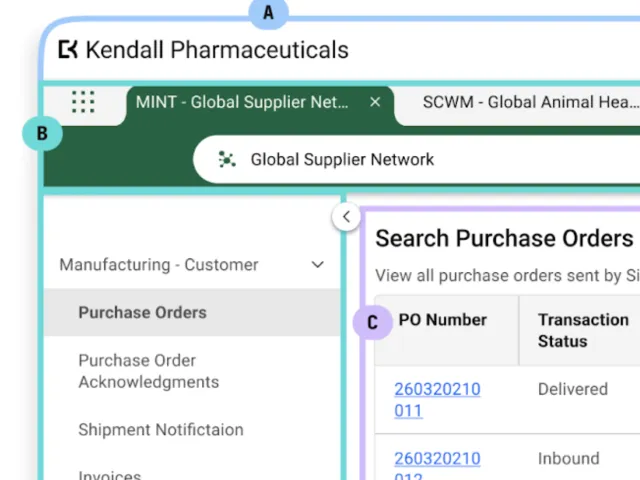
##### OPUS Ensemble Patterns
Enabling OPUS Solution Designers to understand Ensemble patterns, which includes user context, settings, and browser-style navigation for streamlined access.
[View More](/resources/tracelink-university/opus-ensemble-patterns)
[  ](/resources/tracelink-university/define-and-design-search-pages)
##### Define and Design Search Pages
Search pages enable users to view, search for, and create new object instances, typically serving as the landing page when navigating to a solution, except when only one instance exists (like the Profile page in Settings), in which case the user is directed to the View/Edit page.
[View More](/resources/tracelink-university/define-and-design-search-pages)
[  ](/resources/tracelink-university/define-and-design-workflows)
##### Define and Design Workflows
This guidance outlines essential practices for designing effective workflows that enhance efficiency and flexibility in business processes, focusing on primary objects to help OPUS Solution Designers create impactful solutions.
[View More](/resources/tracelink-university/define-and-design-workflows)