
Table of contents
Overview
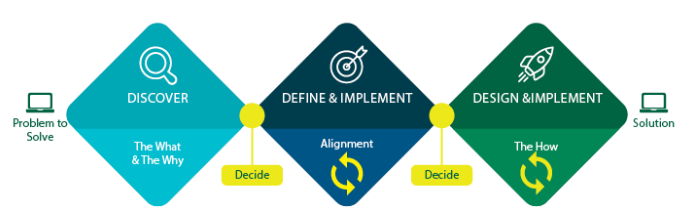
Designing high-quality solutions on the OPUS Platform requires a deep understanding of your use case, business need, domain, etc., a clear identification of the target audience, and the creation of an effective solution. The Triple Diamond Design Process is a powerful approach for enterprise design that ensures stakeholder alignment from the outset, helping you avoid unnecessary rework and achieve the best possible outcomes. OPUS Solution Environment (OSE) will greatly accelerate the implementation of your solution. To best leverage those implementation efficiencies, alignment on the real-world challenges and people affected by those challenges is essential to ensure what is implemented solves the challenge defined.

Apply the Triple Diamond Design Process in OSE
OSE makes it easy to create business objects, workflows, menus, and more. However, without proper alignment on the problem you're solving and the needs of your users and/or business, you risk creating solutions that miss the mark. The Triple Diamond Design Process helps ensure your designs are well-grounded in reality and focused on the specific needs of your users and business.
By following this process, you can:
- Avoid Rework – Ensure your initial designs are aligned with the real-world problems you're trying to solve, reducing the need for later revisions.
- Create Effective Solutions – Design solutions that are both effective and user-centric.
- Enhance Collaboration – Foster better communication and alignment among stakeholders throughout the design process.
Using the Triple Diamond Design Process as a guide, you can design high-quality OPUS solutions that are aligned with user needs and business objectives. This structured approach ensures you identify the right problems, understand your audience, and cultivate effective solutions, leading to more successful and impactful outcomes.
The Triple Diamond Design Process in Action
1. Discover
The first phase focuses on understanding the problem and its context so the problem and solution are narrowed. This involves:
- Identifying the Problem – Clearly defining the problem you aim to solve.
- Understanding the Audience – Knowing who will benefit from the solution and their specific needs.
- Research and Insights – Gathering information and insights to inform your design decisions.
Outcomes of the Discovery phase: problem-statements, user personae, use cases, and stakeholder alignment
2. Define and Implement
The second phase is about defining the different building blocks for what will ultimately solve the problem you articulated in the Discovery phase. By following the four-step process below, you can define a comprehensive no-code solution that effectively addresses your business needs. This structured approach ensures all critical elements (e.g. business objects, object operations, workflows, and roles and policies) are thoroughly considered and implemented, leading to a robust and user-friendly solution.
With OSE you can conduct definition and iterative implementation in parallel.
Step 1: Business Objects and Relationships
Business objects are the primary building blocks to your solution. These objects are the foundation that your workflows, operations, and policies are built around. In the process of creating solutions, it’s crucial to focus on the data model right from the start. While the modeling process may seem like just one step in a larger design workflow, it is, in fact, the foundation upon which the entire solution is built.
The metadata captured during object modeling is what drives the automatic and no-code behaviors across OPUS, making it the most critical part of the process. Rushing through data modeling to get to the more visually engaging aspects of solution building, like screen design, can lead to inefficiencies down the line. It’s essential to approach data modeling with a "measure twice, cut once" mindset—investing time and thought into this phase ensures that the rest of the development process will proceed more smoothly and efficiently.
In short, proper data modeling upfront not only accelerates the overall workflow but also prevents the need for costly revisions later.
Example: Purchase Order (PO)
- Identify Key Primary Objects – Determine the primary “things” your solution will manage. For instance, in a procurement process, a PO is a key business object See OPUS No-Code Fundamentals for more information on primary objects.
- Specify Characteristics – Define the characteristics of each business object. For a PO, this might include order number, supplier details, items, quantities, prices, and status.
- Establish Relationships – Identify relationships between different business objects. For example, a PO might relate to a Purchase Order Acknowledgment or an Inventory Balance object.
Outcomes of the Define and Implement phase: data model
Where to configure business objects: the Business Object Types menu item under the Available submenu
Step 2: Object Operations
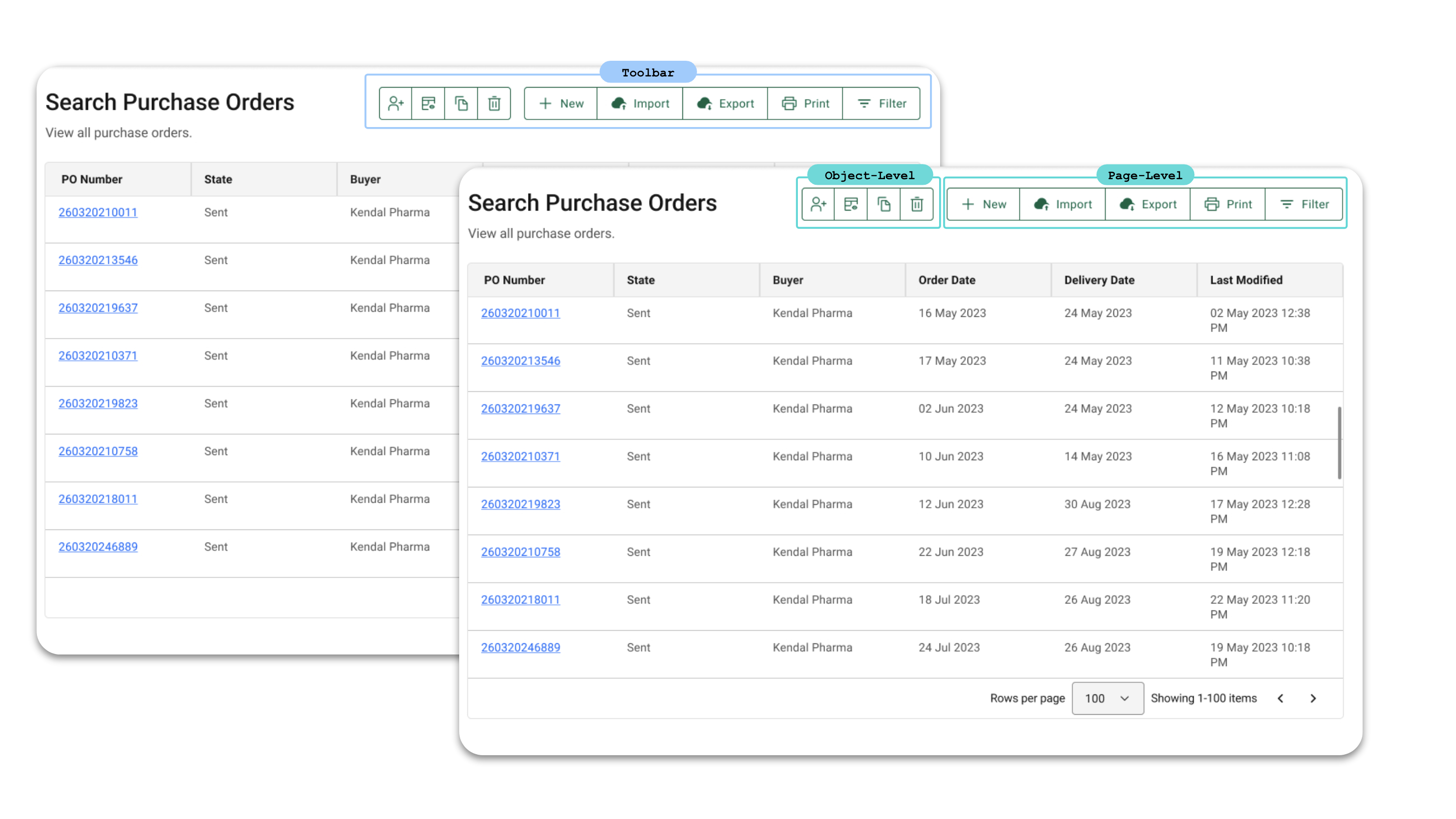
Object operations are the actions that users can perform on business objects or related objects. These operations enable users to interact with and create the data within your solution. Access to object operations is based on role-based access control (RBAC), so the actions that a user can or cannot perform are determined by their assigned role.
- Use Standard Operations – All business objects support a standard set of object operations, including Search, New, and View/Edit. For a PO, these standard operations come out-of-the-box, accelerating the definition and implementation required to make your solution work. For example, when taking use cases into account for Partner users, in a multienterprise solution, the owning company may not want users from the Partner company to have the ability to create new business object instances.
- Define Specialized Operations – Your company’s specific requirements may require additional actions not provided by standard operations, necessitating the configuration of specialized operations. For instance, in the process of creating POs, a specialized "Clone" operation can be introduced to address significant overlap across multiple POs. This operation allows users to quickly create new POs by duplicating an existing one, which is especially useful when POs share common details like the same supplier, similar item lists, and identical shipping instructions. The Clone operation enhances efficiency by reducing redundant data entry, ensures consistency by maintaining uniform information across similar POs, and boosts productivity by enabling users to create multiple POs more swiftly, thus freeing up time for other important tasks.
- Set Rules and Conditions – Define rules and conditions to establish criteria for who can perform an operation and when it can be executed. For example, an Edit operation might only be available if the PO is in a Draft state.
Outcomes of the Define and Implement phase: roles and permissions matrix, screen flows, user flows, screens
Where to configure object operations: within the page types (e.g. Search, New, View/Edit) in the Solution submenu.
Step 3: Workflows
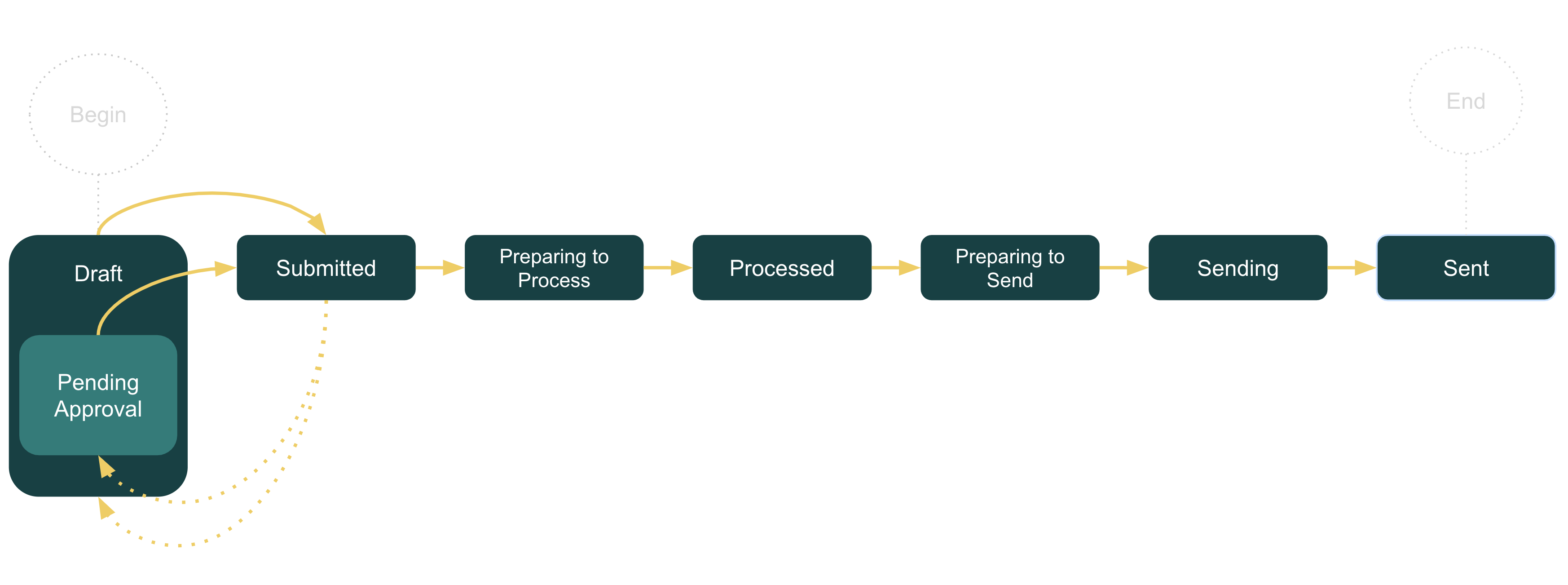
A workflow is defined as a set of states and transitions for an object type (e.g. primary object, business transaction object). Workflows facilitate business processes by defining sequences of states (i.e. steps or stages) and transitions.
Workflows can help bring visibility or automate the sequence of states (and substates) and transitions, and statuses that are reflective of how business processes are executed within your solution. They ensure that tasks are completed in the correct order and according to the defined business process. Workflows are also important because they are the primary mechanism that customers have to extend the logic of applications with customer-specific behavior.
Tip: Before configuring your workflow in OPUS Solution Environment (OSE), identify your specific business requirements and define the desired states and transitions. Some of this definition occurs during the solution definition stage stage and may require collaboration with your Orchestration Architect. Diagramming a workflow is a great exercise to drive that definition while curating your business object and is a low fidelity option that can lead to faster alignment.
Outcomes of the Define and Implement phase: workflow diagram (e.g. flowcharts, business process models and notations, swimlanes)
Where to configure workflows: the Workflows menu item under the Solution submenu
Step 4: Roles and Policies
Roles and policies control access to business objects, operations, and data, ensuring that users can see and perform only those actions that are relevant to their role. Since OPUS solutions leverage TraceLink’s Network Model, always consider the question of access from the perspective of both an Owning user, who is likely to see and do more, and a Partner user, who should not have access to all Owner data. Also consider the use case of when a user works as both an Owner and Partner across multiple networks.
Example: Roles and Policies for a Purchase Order System
- Identify User Roles – Determine the different user roles required within your solution. For a PO, roles might include Procurement Executive Buyer, Procurement Manager, and Order Fulfillment Specialist.
- Regularly Review and Update Policies – Ensure that access policies are kept up to date with changes in business processes and organizational structure. Collaborate with your security team to ensure your approach is in-line with their standards.
Outcomes of the Define and Implement phase: roles and permissions matrix
Where to configure roles and policies: the Roles menu item and Policies menu item under the Solution submenu
3. Design and Implement
The third phase involves creating and iterating on potential solutions:
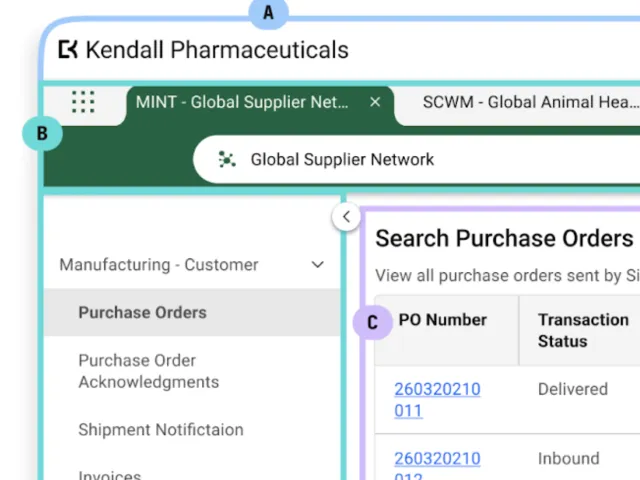
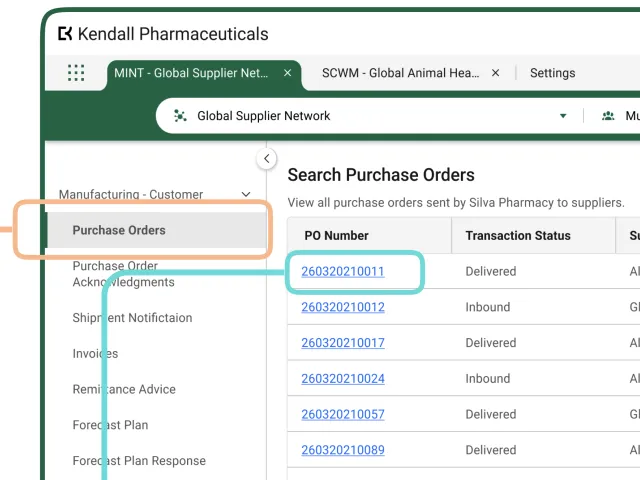
- Ideation on Side Menu and Page Structure – You can configure the side menu to group related business objects within a submenu, providing quick access to these objects within a greater context. For example, grouping Forecasts, POs, PO Acknowledgments, and Inventory transactions under a "Manufacturer - Customer" submenu can streamline navigation for a Marketing Authorization Holder (MAH) for quick recognition and action. Additionally, structuring sections and fields on your PO page with intention—grouping similar items together in a logical sequence—can optimize usability. For more best practices and patterns, see OPUS Ensemble Patterns.
- Prototyping – With well-defined solution building blocks, OSE can accelerate your solution design through the combination of drag-and-drop functionality and the ability to quickly generate previews of your solution. This can enhance sales enablement by offering compelling demos while also allowing you to quickly address pressing business problems.
- Feedback and Iteration – After creating your menus and pages, use the preview capabilities to demo features and gather early feedback from stakeholders and customers. This iterative process helps you refine and perfect your solution, ensuring it meets user needs effectively.
Outcomes of the Design and Implement phase: OSE prototypes for testing, demos, and ready-to-deploy solutions
Where to release and test solutions: the Solutions menu item under the Available submenu
Discover and Define With Purpose and Design With Worry-Free Implementation
By leveraging the Triple Diamond Design Process, you can ensure your OPUS solutions are aligned with your business needs. This approach guides you through the essential stages of discovery, definition, and design/development, helping you to identify problems, understand your audience, and create effective solutions. OSE simplifies and accelerates the design and configuration of business objects, workflows, menus, UIs, roles, policies, and notifications. Proper alignment and upfront understanding minimize rework and enhance collaboration. By following this framework, you can deliver high-quality, consistent, flexible, and innovative solutions, driving meaningful outcomes for businesses and people alike. In short, think deep up front and implement quickly to delivery.